Server & client lifecycle
Start, stop, and restart the dev server and client in debug or release mode — with tracked PIDs so a recycled process is never mistaken for a live server.
dzl starts and stops your DayZ dev server and client, manages an ordered mod selection plus named config presets, tails and diagnoses the DayZ logs, and wraps the DayZ Tools (Addon Builder, ImageToPAA, the P: work drive, and more) — then adds a validating build pipeline, Central Economy editors, Steam Workshop downloads, and git/GitHub integration.
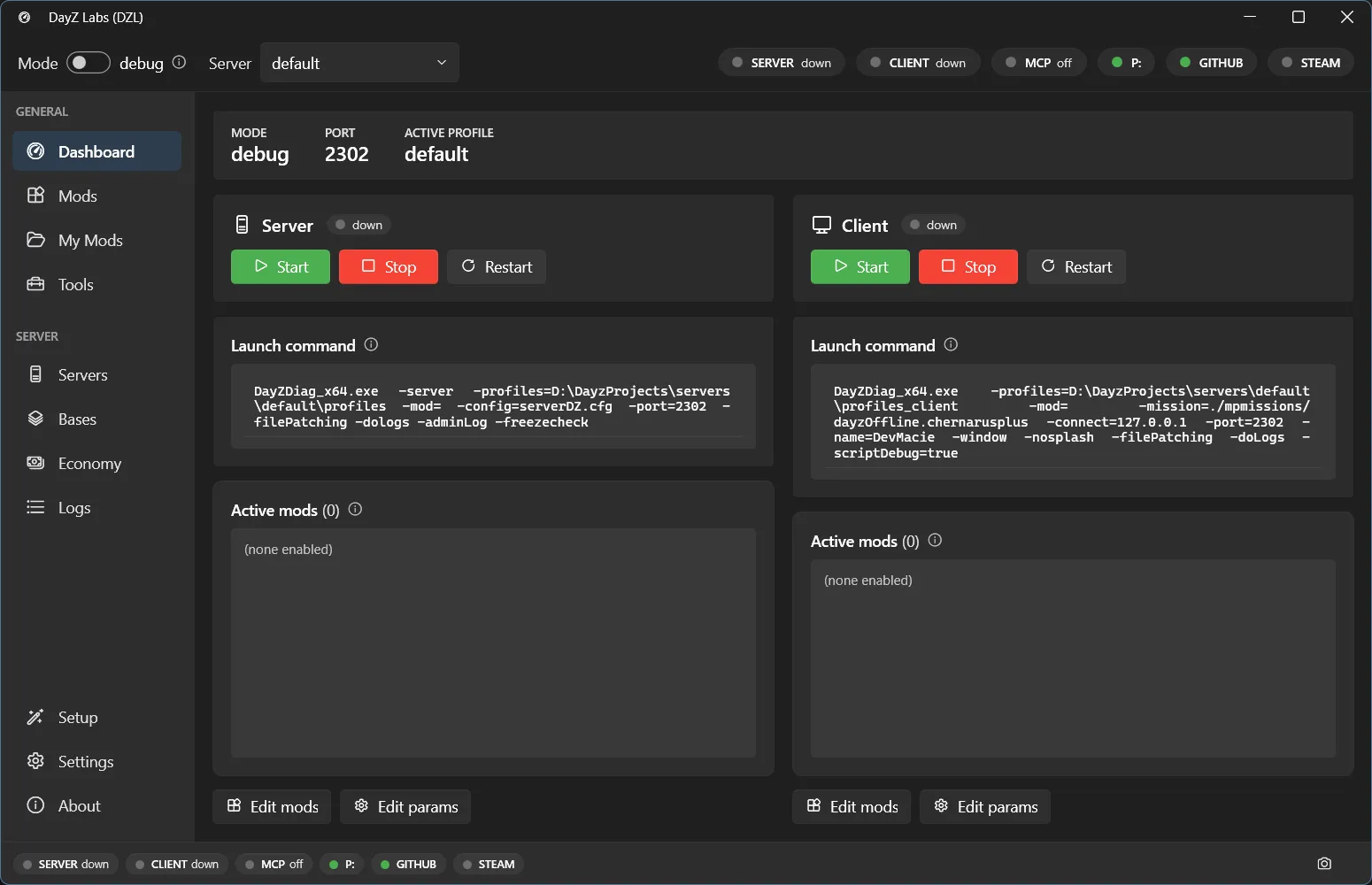
One installer, no admin rights, and it updates itself. Download for Windows or read the getting-started guide.
Server & client lifecycle
Start, stop, and restart the dev server and client in debug or release mode — with tracked PIDs so a recycled process is never mistaken for a live server.
Mods & presets
An ordered mod selection (each tagged server / client / both) saved as named, switchable config snapshots.
Logs & diagnosis
Tail script / rpt / adm / client logs and match known failure signatures into cause → fix entries.
Build pipeline & signing
A preflight gate, content-hash cache, signing, post-build verification, and atomic publish around one Addon Builder call.
Central Economy editors
Edit types.xml, events, spawns, and the rest of the mission economy with linting and versioned backups.
CLI · MCP · Tray
One core behind three frontends — a command line, an MCP server an AI agent can drive, and a WPF tray app.
Every capability lives in a single engine (Dzl.Core). The CLI, the MCP server, and the
tray app are thin shells over it, so they behave identically — pick whichever fits your
workflow.
DayZ Labs (dzl) is an unofficial, community-made tool, not affiliated with or authorized by Bohemia Interactive a.s. Bohemia Interactive, ARMA, DAYZ, ENFUSION and all associated logos and designs are trademarks or registered trademarks of Bohemia Interactive a.s.