DayZ Tools & the P: drive
DayZ modding leans on a pile of separate tool windows — Workbench, Object Builder, Terrain Builder, Addon Builder, ImageToPAA, CfgConvert, Binarize — and a special P: work drive they all expect to be mounted. The Tools page in DayZ Labs gathers those tools into one grid so you can launch any of them with a click, and it mounts or unmounts the P: drive for you from the same screen.
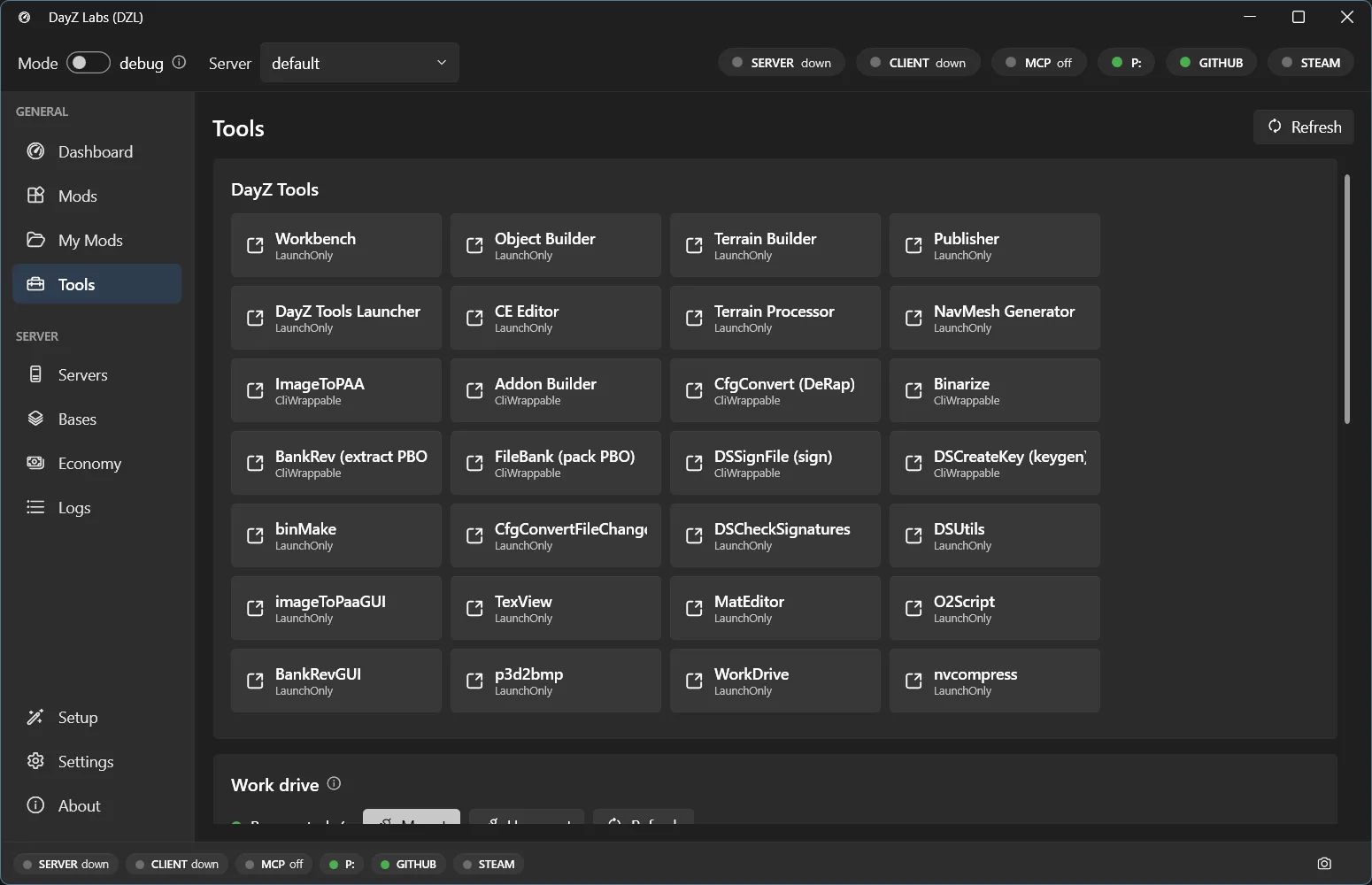
The Tools page: a grid of the DayZ Tools plus the P: work-drive mount control.
The tools grid
Section titled “The tools grid”Each tile in the grid is one of the DayZ Tools that ships with the official DayZ Tools
package — Workbench, Object Builder, Terrain Builder, Addon Builder, ImageToPAA, CfgConvert,
Binarize and the rest. Click a tile and DayZ Labs launches that tool for you, wired up to the
paths it already knows about, so you don’t have to hunt for the right .exe under your DayZ
Tools install.
For DayZ Labs to find these, point it at your DayZ Tools folder once in Settings → Paths (or let the first-run wizard auto-detect it — see the getting-started guide). After that the grid just works.
The P: work drive
Section titled “The P: work drive”Most of the DayZ Tools — and the game itself — expect a mounted P: drive that holds the vanilla game data. The Tools page has a single control to mount or unmount it, and a P: status pill on the Dashboard shows you at a glance whether the drive is currently up.
There’s one important detail DayZ Labs handles for you. The P: drive only behaves if it’s mounted in your normal user session. Mount it as an administrator and it lands in an invisible session the game and the tools can’t read. Because DayZ Labs runs per-user (no admin needed), the drive ends up where everything expects it — actually there when the tools and the game look for it.
The first-run setup wizard mounts P: and extracts the vanilla game data for you, so on a fresh machine you usually don’t have to touch this at all. The mount control on the Tools page is for later, when you want to remount after a reboot or free the drive up.
What you can do here
Section titled “What you can do here”- Launch any of the DayZ Tools GUIs with one click.
- Mount, check, or unmount the P: work drive — without opening the DayZ Tools at all.
- Keep the everyday tools and the drive they depend on in one place, instead of chasing separate windows.
Building a mod into a PBO has its own front-and-center spot too: your source projects each get a one-click Build button on the My Mods page — see the build pipeline.
Power users & automation
Section titled “Power users & automation”Everything on this page is also scriptable. The bundled CLI and MCP server expose the same tool launching and P: drive actions, so you can drive them from a terminal or let Claude do it for you. That’s an optional extra for automation — see the MCP page. For normal day-to-day modding, the Tools page is all you need.
DayZ Labs (dzl) is an unofficial, community-made tool, not affiliated with or authorized by Bohemia Interactive a.s. Bohemia Interactive, ARMA, DAYZ, ENFUSION and all associated logos and designs are trademarks or registered trademarks of Bohemia Interactive a.s.