Steam Workshop
DayZ Labs keeps every mod it can find on your machine in one place — the Mods page — and lets you pull in new ones from the Steam Workshop without leaving the app.
Open it from the left navigation, under General → Mods.
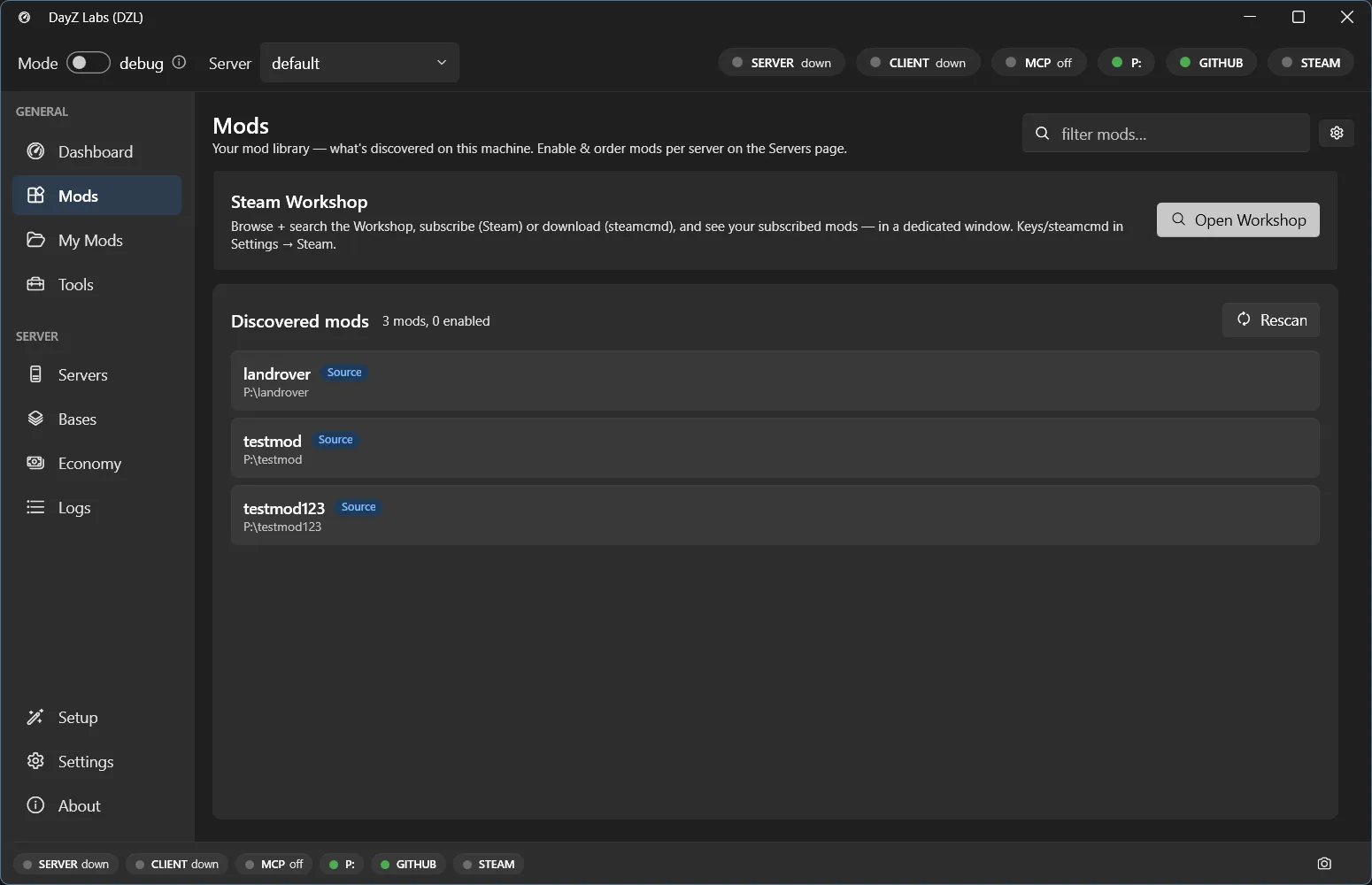
The Mods page lists every mod DayZ Labs has discovered on this machine, with an Open Workshop button in the corner.
Your mod library
Section titled “Your mod library”The Mods page shows your mod library: every mod DayZ Labs has scanned and discovered on this PC, whether it came from the Workshop, was installed by hand, or is one of your own builds. This is the pool you pick from when you decide what a server should load.
You don’t enable mods here. To choose which mods a server actually runs, go to the Dashboard, open the Server card, and use Edit mods — the active list lives with each server. See Getting started for the Dashboard tour.
Getting mods from the Steam Workshop
Section titled “Getting mods from the Steam Workshop”In the top corner of the Mods page is an Open Workshop button. Click it to open the Workshop window, where you can:
- Search the Steam Workshop by name to find DayZ mods.
- Subscribe to an item through Steam — the same as clicking Subscribe on the website, so the mod downloads through your regular Steam client.
- Download an item through steamcmd instead, which fetches the files directly into your library.
Either way, once a mod finishes downloading it appears back on the Mods page in your library, ready to be enabled for a server.
Signing in to Steam
Section titled “Signing in to Steam”Both subscribing and downloading need you signed in to Steam. You do that once in Settings → Accounts, where there’s a Steam login alongside GitHub. After you sign in (and approve the Steam Guard prompt on your phone if asked), DayZ Labs remembers the session, so you normally won’t be asked again.
If a download asks you to confirm your login or a Steam Guard challenge, complete that prompt and the download continues on its own.
Enabling a downloaded mod
Section titled “Enabling a downloaded mod”Downloaded mods are now part of your library, but a server only loads the mods you give it:
- Go to the Dashboard.
- On the Server card, click Edit mods.
- Add the mod to the run list and set its order.
The Server card shows a live preview of the exact launch command, so you can confirm the mod is included before you press Start.
Power users: automation
Section titled “Power users: automation”If you script your workflow or drive DayZ Labs from an AI assistant, the bundled MCP server
exposes the same Workshop operations (workshop_search, workshop_add, workshop_update),
and there’s an equivalent CLI. A steamcmd download may still pop a console window for the
first interactive Steam login. See MCP for details.
DayZ Labs (dzl) is an unofficial, community-made tool, not affiliated with or authorized by Bohemia Interactive a.s. Bohemia Interactive, ARMA, DAYZ, ENFUSION and all associated logos and designs are trademarks or registered trademarks of Bohemia Interactive a.s.