Mods & presets
Testing a mod usually means running it alongside a handful of others, in a particular order, against a particular server setup. DayZ Labs keeps that as an ordered list of mods and saves the whole configuration as a named preset you can switch to in one move — so flipping between “vanilla”, “my mod only”, and “full modpack” is instant instead of fiddly.
You manage all of this from the tray app’s Mods page, with no command lines to remember.
The Mods page
Section titled “The Mods page”Open Mods in the left navigation. It shows the mod library DayZ Labs discovered on this machine — both your own source projects and any Steam Workshop mods you’ve subscribed to. From here you choose which mods are part of your active loadout and what order they load in.
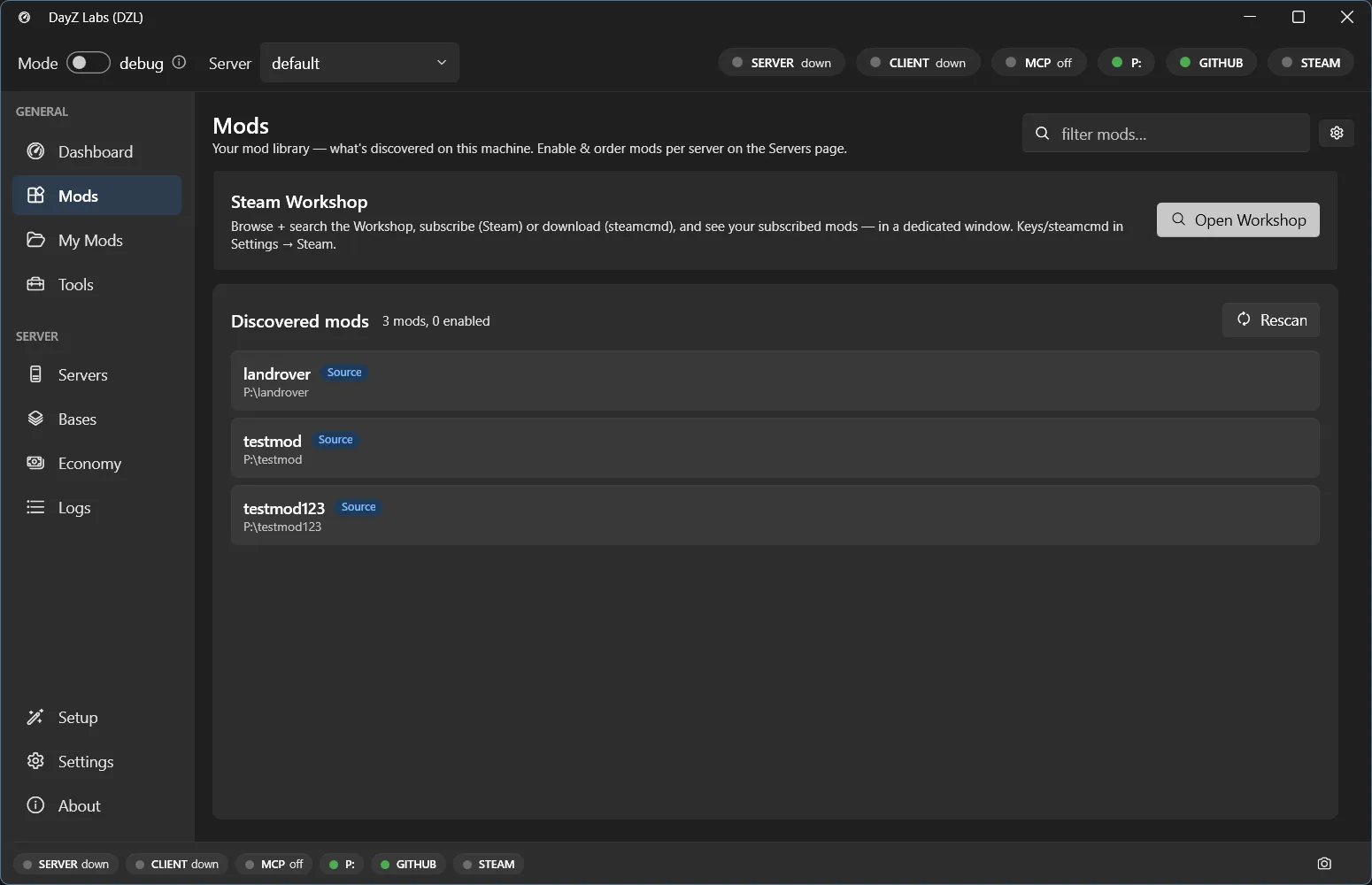
The Mods page: your discovered mod library on this machine, with an Open Workshop button to pull in more.
Need more mods than you have locally? The Open Workshop button takes you straight to Steam Workshop browsing so you can find and add them without leaving the app.
Ordering and load side
Section titled “Ordering and load side”Mods load in the order you list them, and that order matters in DayZ. You can reorder your selection by dragging rows up and down until the load sequence is right.
Each mod is also tagged both, server, or client. DayZ Labs uses that tag to put
server-only mods on the launch line as -serverMod and the rest as -mod, so the right
content loads on the right side without you tracking it by hand.
You can always see the result: the Server and Client cards on the Dashboard show a live preview of the exact launch command, including every mod, before you press Start.
Saving setups as presets
Section titled “Saving setups as presets”Once you’ve got a loadout you like, save it as a named preset. A preset is the full configuration — which mods, in what order, on which side — captured under a name like “hardcore” or “my-mod-solo”. Switching presets swaps the entire setup in one move, so you can keep separate presets for different mods, maps, or server variants and jump between them instantly.
What you can do
Section titled “What you can do”- Build an ordered list of the mods you’re testing and reorder it by dragging.
- Tag each mod as server-side, client-side, or both.
- Pull in more mods from Steam Workshop with Open Workshop.
- Save the full setup as a named preset and switch between presets instantly.
- Keep separate presets for different mods, maps, or server variants.
Power users: automation
Section titled “Power users: automation”Everything above is also scriptable. If you automate your testing or drive DayZ Labs from an AI agent, the CLI can switch the active preset for you:
dzl preset load hardcoreDayZ Labs (dzl) is an unofficial, community-made tool, not affiliated with or authorized by Bohemia Interactive a.s. Bohemia Interactive, ARMA, DAYZ, ENFUSION and all associated logos and designs are trademarks or registered trademarks of Bohemia Interactive a.s.