Steam Workshop
Most servers run with other people’s mods, and you usually grab those from the Steam Workshop. DayZ Labs brings that into the app: you can search the Workshop and pull items down without juggling a separate tool, and the downloaded mods show up right alongside your own in the Mods library.
The Mods page
Section titled “The Mods page”Open Mods in the left navigation (under GENERAL) to see every mod DayZ Labs has discovered on this machine. From here you can tick the ones you want active, reorder them, and reach the Workshop with the Open Workshop button at the top.
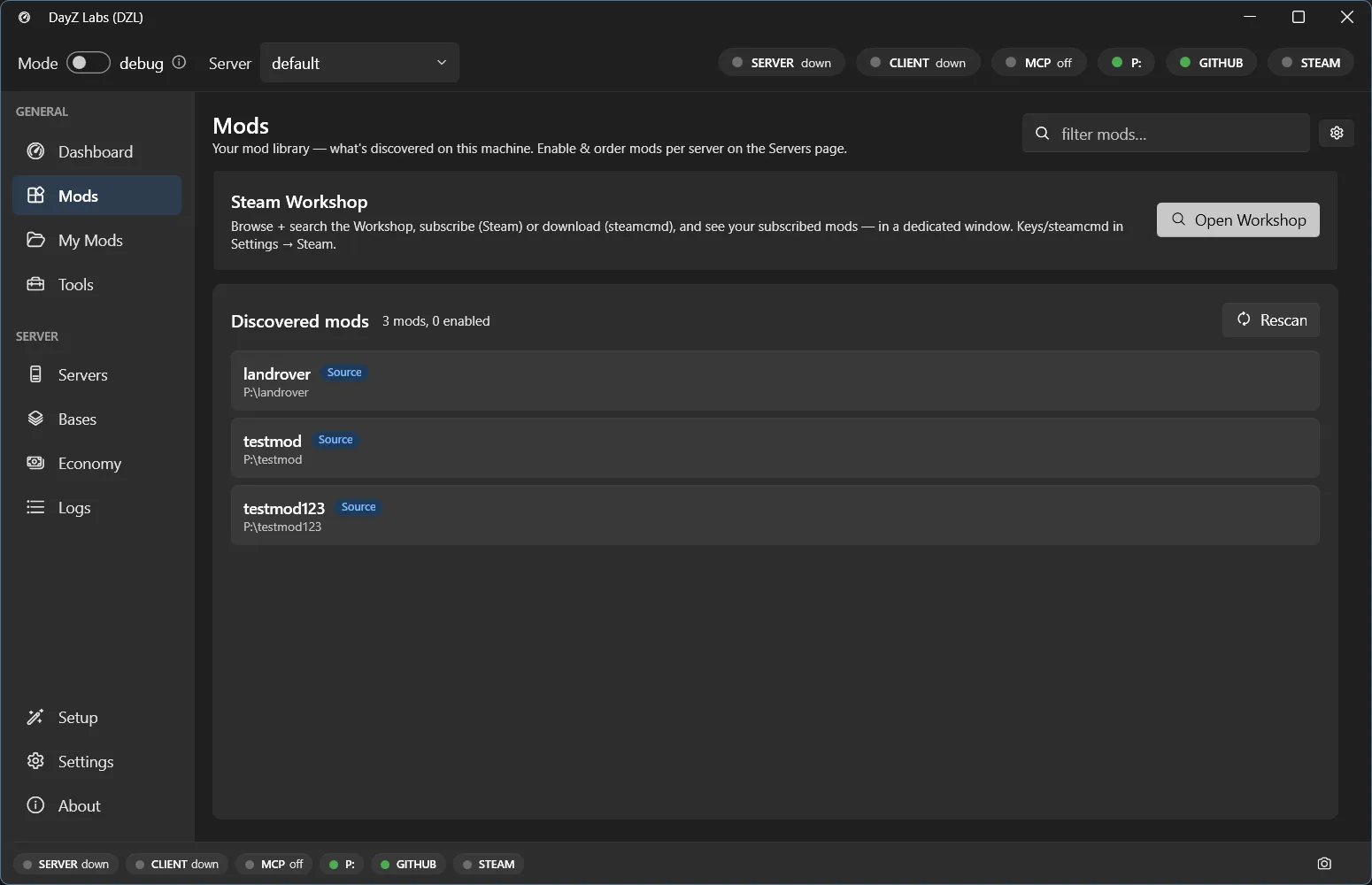
Your discovered mod library. The Open Workshop button is where you search for and download new items.
Searching and downloading
Section titled “Searching and downloading”From the Workshop view you can:
- Search the Workshop by name to find an item and its id.
- Download a Workshop item so it lands in your library, ready to add to a run.
- Update a single item, or update everything you’ve downloaded, in one go.
Once an item finishes downloading it appears in the Mods list like any other mod — tick it on, and it’ll be part of the launch command you see on the Dashboard Server and Client cards.
About the Steam login
Section titled “About the Steam login”Downloads go through steamcmd, which opens its own console window for the Steam login and Steam Guard prompt. That’s normal: steamcmd handles your credentials directly in that console, you approve the Guard challenge once, and it remembers the session so later downloads usually don’t ask again.
Searching the Workshop by name needs a Steam Web API key. You can add your Steam account, along with the key, under Settings → Accounts. Downloading by id works without it.
Power users and automation
Section titled “Power users and automation”If you script your setup or drive DayZ Labs from Claude, the same Workshop search and download actions are available through the CLI and the bundled MCP server. For everyday modding, though, the Mods page is all you need.
DayZ Labs (dzl) is an unofficial, community-made tool, not affiliated with or authorized by Bohemia Interactive a.s. Bohemia Interactive, ARMA, DAYZ, ENFUSION and all associated logos and designs are trademarks or registered trademarks of Bohemia Interactive a.s.