Building mods
When you are working on a mod, you eventually need to turn your source folder into a
packed .pbo that DayZ can load. In DayZ Labs you do that with one click on the My Mods
page — no command line, no juggling Addon Builder by hand.
The My Mods page
Section titled “The My Mods page”Open My Mods from the left navigation (under GENERAL). It lists every source mod
project found under your Projects root — the folder you chose during the setup wizard
(default %USERPROFILE%\DayZProjects). Each project gets its own row.
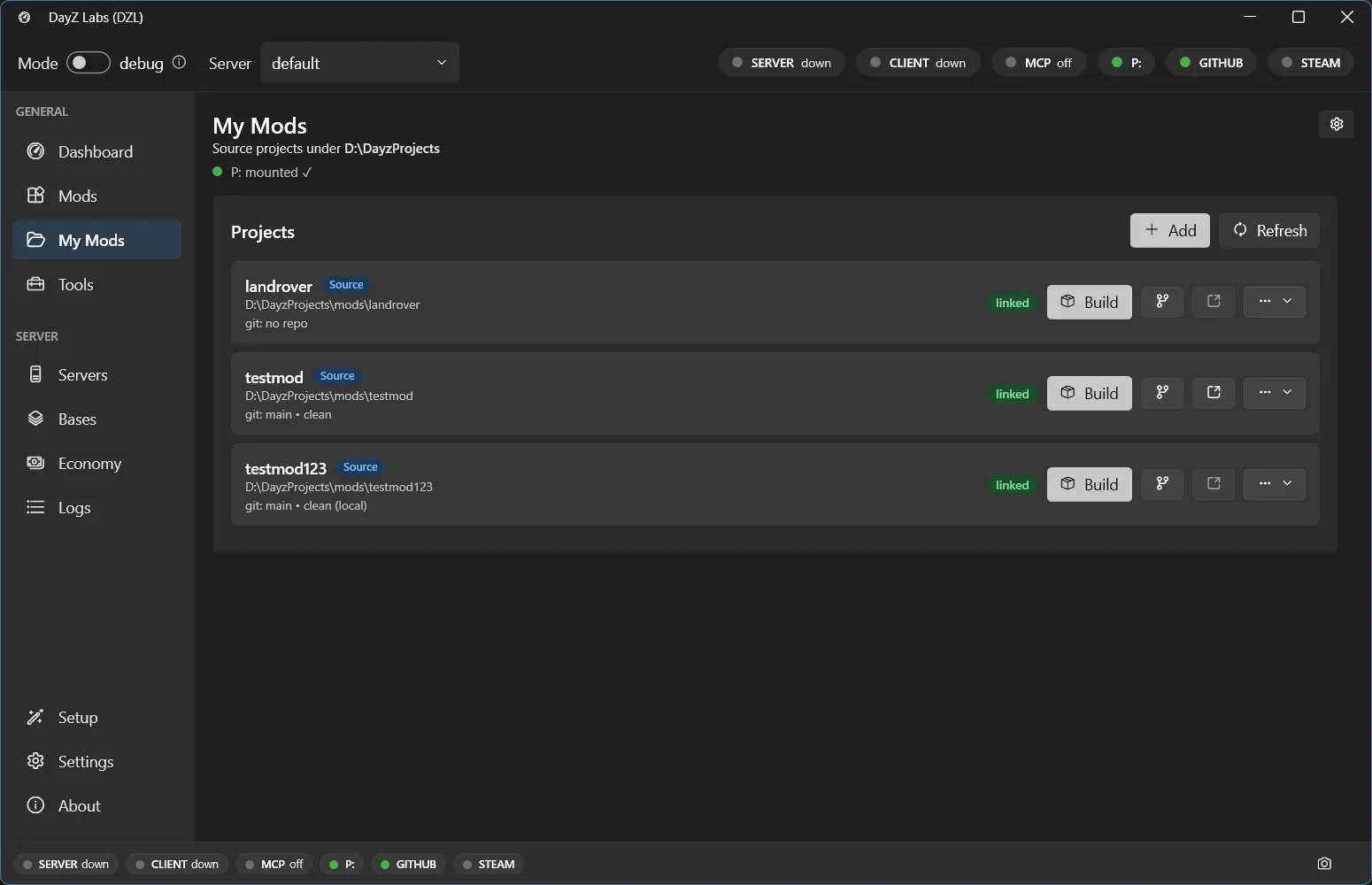
Each source project gets a row with a Build button, git actions, and an open-folder button.
On every row you’ll find:
- A Build button — packs that mod into a PBO (covered below).
- Git actions — for projects that are git repositories, so you can see changes and commit without leaving the app.
- An open-folder button — jumps straight to the project folder in Explorer.
Building a mod
Section titled “Building a mod”Click Build on a mod’s row. That single click runs a small pipeline for you, not just a raw Addon Builder call:
- Preflight gate. Before anything is packed, DayZ Labs scans your source for the common
“why is my mod broken” problems — bad config structure, missing texture or model
references, baked-in
P:\...absolute paths that work on your machine but break on every other one, uppercase paths that break Linux servers, textures you edited but forgot to re-convert, and a few Enforce-script traps. Error-level findings stop the build so you fix them first; warnings just get noted. - Skip-if-unchanged. DayZ Labs remembers a content fingerprint of each mod. If nothing that affects the output has actually changed since the last build, it skips the build instantly instead of repacking. This is content-based, so a fresh git checkout (which only bumps file timestamps) won’t trick it into needless rebuilds.
- Pack and sign. The mod is packed into a PBO, optionally binarized, and — if you have a signing key — signed. A signature proves your PBO wasn’t tampered with; servers that verify signatures reject unsigned ones.
- Verify. Addon Builder can fail quietly or even report success while the log says otherwise, so DayZ Labs treats a fresh PBO actually appearing as the real proof of success and summarizes any errors or missing references it found.
- Publish. The finished PBO is dropped into place atomically (no half-written output) so the server only ever sees a complete build.
Where the build lands
Section titled “Where the build lands”The packed output goes into the build/ folder under your Projects root, ready to be
loaded by a server instance. You don’t have to copy anything by hand — once the build
succeeds, the mod is in place for your active server to pick up.
If a build fails
Section titled “If a build fails”If preflight blocks the build, the findings tell you exactly what to fix — each one has a clear message and points at the file and line. If Addon Builder itself fails, DayZ Labs summarizes the error and missing-reference counts and surfaces likely cause-and-fix hints rather than leaving you to read a noisy log.
Signing keys
Section titled “Signing keys”A signing key is created once and signs all your mods. If you haven’t set one up, the app
uses the DayZ Tools to create your key pair and stores it in the keys/ folder under your
Projects root. After that, every build can sign automatically.
Power users and automation
Section titled “Power users and automation”The Build button is all most people need. If you want to script builds — for CI, batch jobs, or driving DayZ Labs from Claude — the same pipeline is available through the bundled CLI and the MCP server. See the MCP guide for the agent-driven workflow, and Central Economy for the related config editors.
DayZ Labs (dzl) is an unofficial, community-made tool, not affiliated with or authorized by Bohemia Interactive a.s. Bohemia Interactive, ARMA, DAYZ, ENFUSION and all associated logos and designs are trademarks or registered trademarks of Bohemia Interactive a.s.