Server instances
A server instance is one complete local DayZ server: its own serverDZ.cfg, profile
folders, mission, network port, and list of mods. You can keep as many as you like side by
side — one per map, or a hardcore and a casual version of the same map — and switch which one
is live with a single click. Whichever instance is active is the one the Dashboard launches
and the one the Logs follow.
You manage all of them on the Servers page, under Server in the left navigation.
The Servers page
Section titled “The Servers page”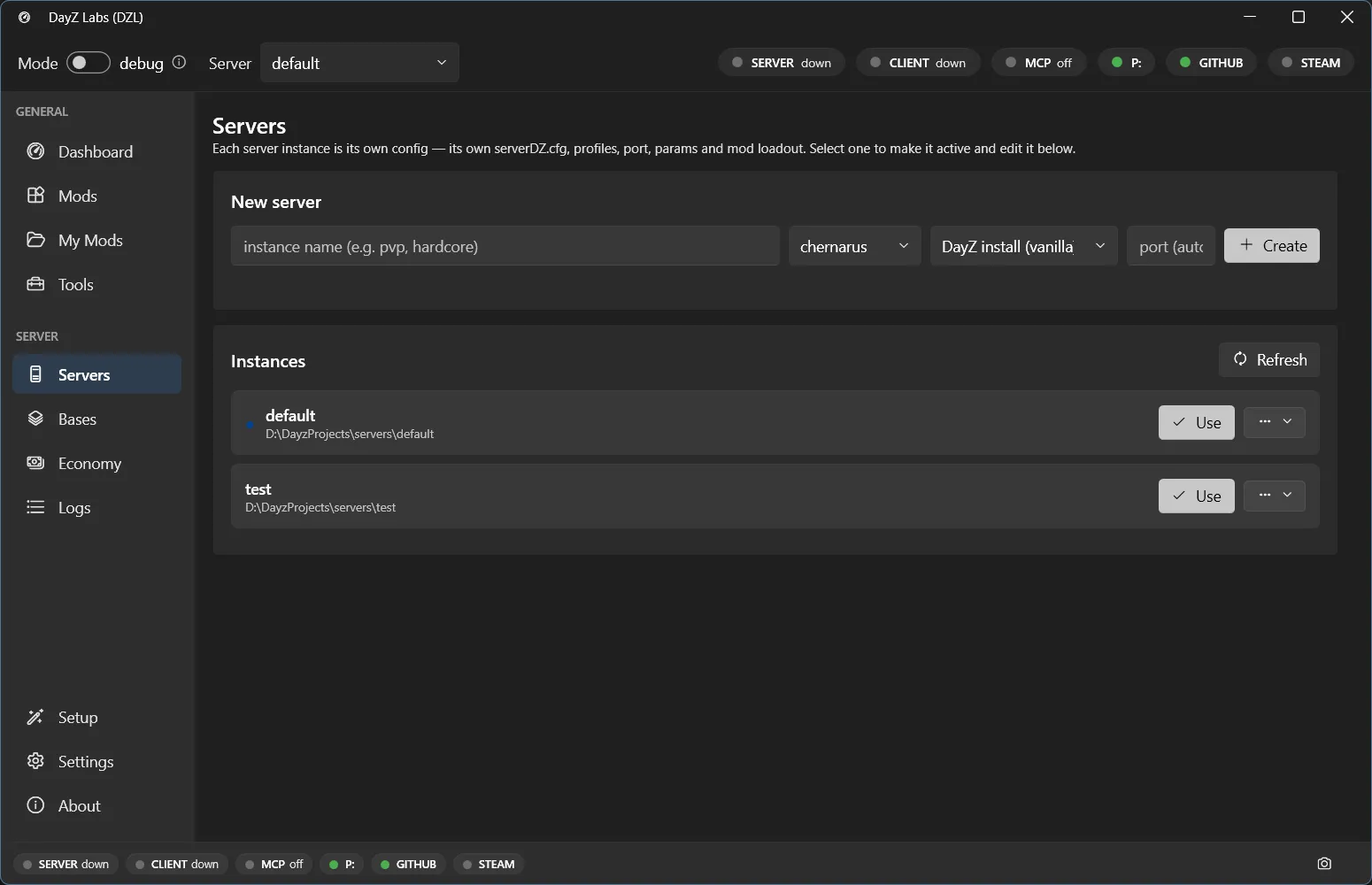
The Servers page lists every server instance you’ve created. The active one is marked; the rest are one click away.
Each row is one server instance. From here you can create a new one, switch which one is active, and remove ones you no longer need.
Create a server
Section titled “Create a server”- Open Server → Servers.
- Click New server.
- Give it a name (for example
chernarus-testorlivonia-hardcore). - Pick a map (such as Chernarus or Livonia).
- Pick a port, or leave it for dzl to assign a free one.
dzl scaffolds everything that server needs — a fresh serverDZ.cfg, profile folders, and a
copy of the mission — and adds it to the list. It does not start running; it just exists,
ready to be made active.
Switch the active server
Section titled “Switch the active server”Click Use on any instance to make it the active one. That’s the switch that matters: everything else in the app follows the active server.
When you switch:
- The Dashboard now starts, stops, and previews the launch command for that server.
- The Logs page tails that server’s script / RPT / ADM logs.
- The mods, launch params, map, and port that belong to that instance come along with it — they don’t bleed into your other servers.
So you can flip from a test build of one map to a clean copy of another in one click, run it, read its logs, and switch back, without re-editing any config by hand.
Why keep several
Section titled “Why keep several”Because each instance is fully self-contained, there’s no reason to overwrite one to try something. Common setups:
- One server per map — Chernarus, Livonia, a custom terrain — each ready to go.
- Variants of the same map — a heavily-modded build next to a near-vanilla one for comparison.
- A throwaway — a scratch server you spin up to reproduce a bug, then delete.
They each carry their own mods, params, and port, so two of them can’t collide.
Bases (templates)
Section titled “Bases (templates)”A base is a starter template a new instance can be built from, so you don’t rebuild the
same serverDZ.cfg and mission setup every time. dzl can build a base from your DayZ install
or start you from a blank one. You’ll find these under Server → Bases.
Power users and automation
Section titled “Power users and automation”If you script your workflow or drive dzl from an AI agent, the bundled command-line and MCP tools cover the same operations — creating instances, listing them, and switching the active one — so you can scaffold and flip servers without opening the window. See the MCP server guide for details.
Next steps
Section titled “Next steps”DayZ Labs (dzl) is an unofficial, community-made tool, not affiliated with or authorized by Bohemia Interactive a.s. Bohemia Interactive, ARMA, DAYZ, ENFUSION and all associated logos and designs are trademarks or registered trademarks of Bohemia Interactive a.s.