Git & GitHub
Your mod source lives in a normal, git-friendly project folder, and DayZ Labs treats it as exactly that: a git repository you can manage without leaving the app. Check what’s changed, commit, branch, and push — then publish the whole thing to GitHub and cut releases when it’s ready to share.
Because the source sits outside the P: drive in a real project folder, version control just works. You get the everyday git actions inline, plus the two big “ship it” moments — creating a GitHub repo and tagging a release — handled for you so you don’t have to switch tools.
Where this lives
Section titled “Where this lives”Git lives on the My Mods page. Each of your source mod projects shows up as a row with a one-click Build button, an open-folder button, and git actions for that project. From there you reach the per-mod Git view, where the everyday version-control work happens.
To publish to GitHub, you first need to be signed in. That happens once, in Settings → Accounts, where you log in to GitHub (and Steam). After that, DayZ Labs can create repos and push on your behalf.
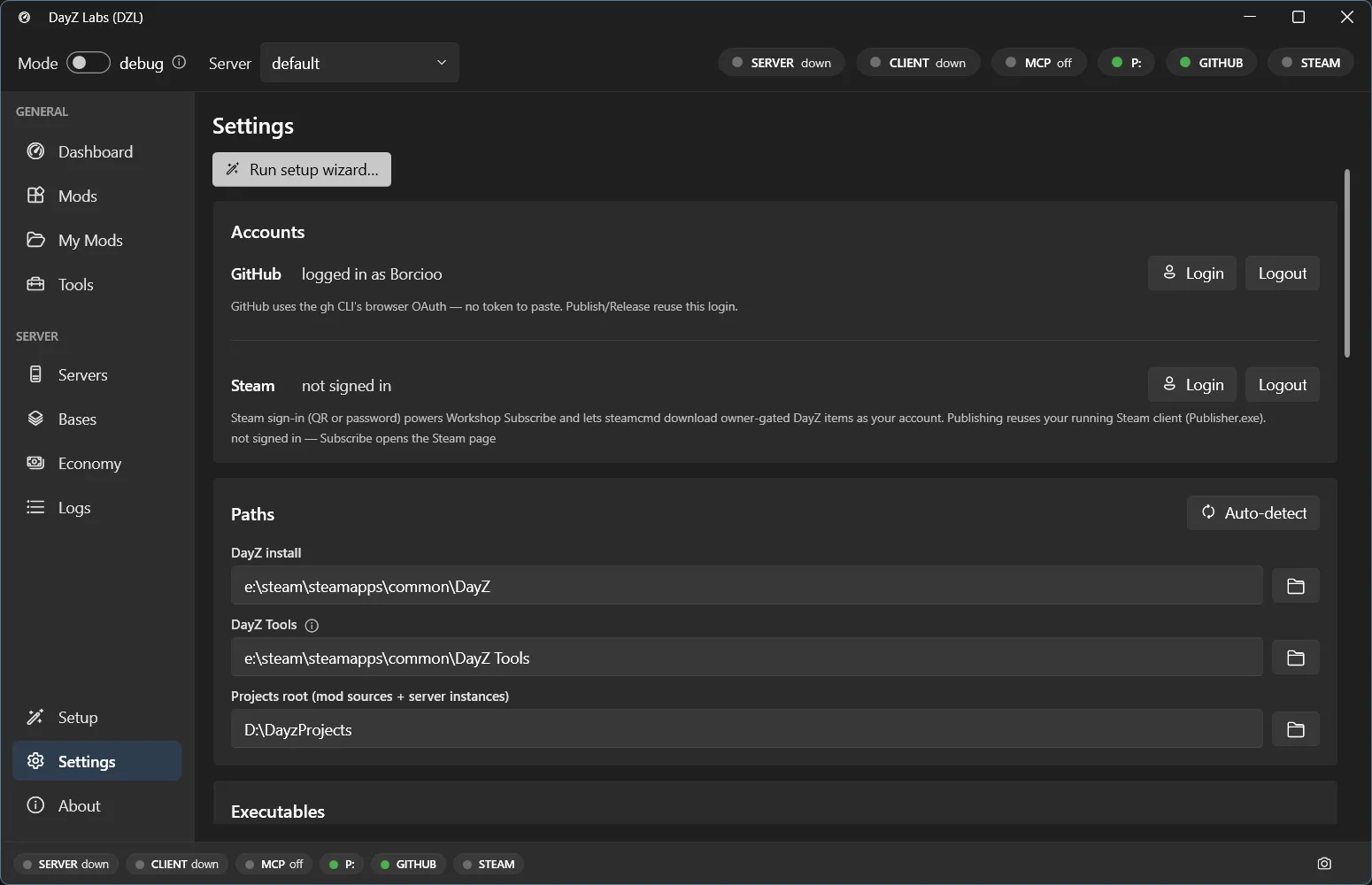
Sign in to GitHub under Settings → Accounts. The same page holds your DayZ, DayZ Tools, DayZ Server (normal mode), and Projects paths.
What you can do
Section titled “What you can do”- See status, changed files, recent commits, and the working-tree diff for a mod.
- Stage and commit a mod’s changes from the app.
- List, create, and check out branches; push and pull against a remote.
- Publish a new GitHub repo for a mod, and cut a release at the current commit — optionally attaching the built PBO as an asset.
A typical flow
Section titled “A typical flow”- Make changes to your mod source and Build it from the My Mods row.
- Open the project’s git actions, review the changed files and diff, and commit.
- Push to your remote — or, the first time, publish a new GitHub repo for the mod.
- When a version is ready to share, cut a release at the current commit and attach the built PBO so other people can download it.
Everything runs against the same project folder you build from, so the source you ship is the source you tested.
Power users and automation
Section titled “Power users and automation”The same git and GitHub actions are available through the bundled CLI and MCP server for scripting and AI-driven workflows, but most modders never need them — the My Mods page covers the whole loop. See the MCP guide if you want Claude to drive these actions for you.
DayZ Labs (dzl) is an unofficial, community-made tool, not affiliated with or authorized by Bohemia Interactive a.s. Bohemia Interactive, ARMA, DAYZ, ENFUSION and all associated logos and designs are trademarks or registered trademarks of Bohemia Interactive a.s.